
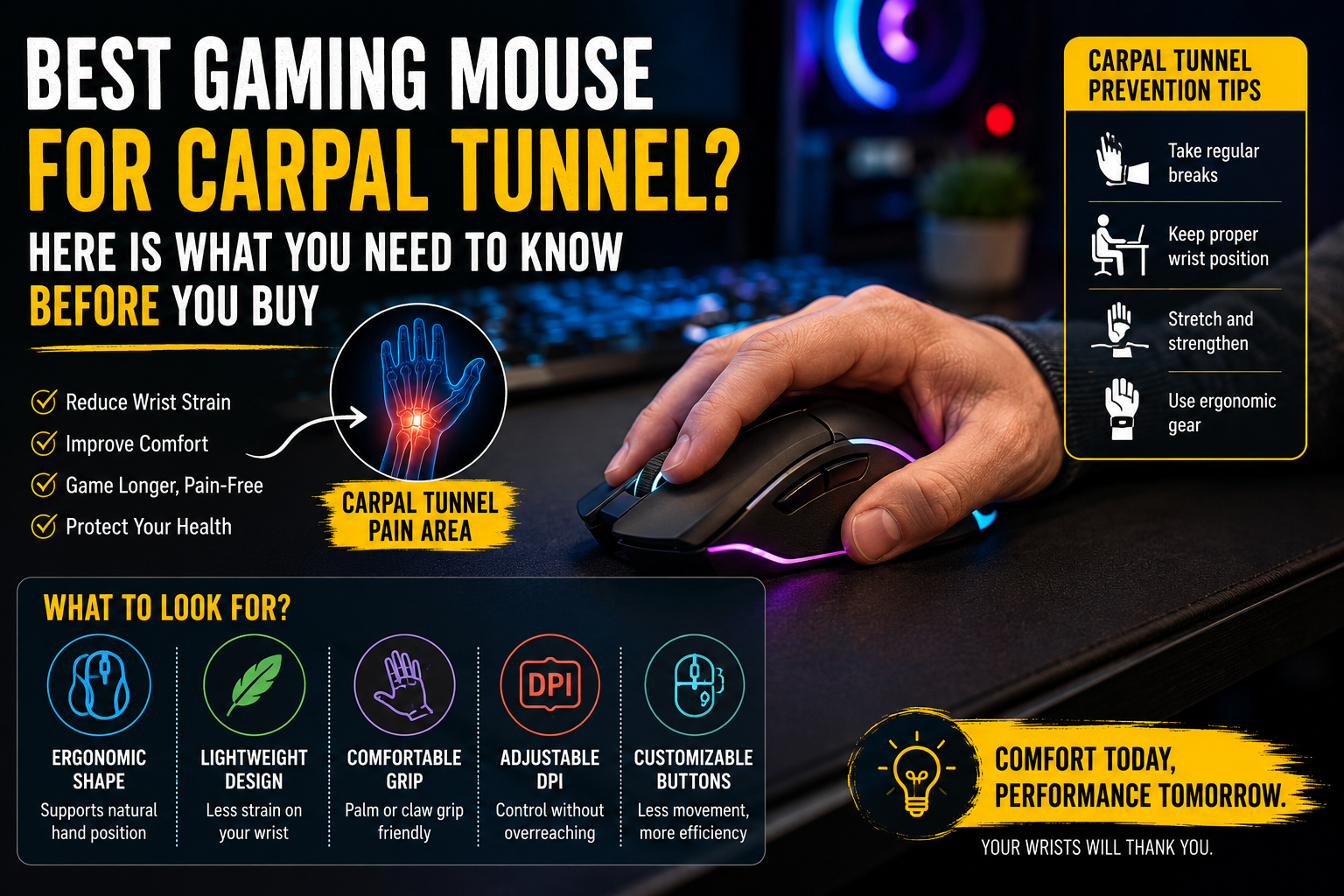

There is nothing quite like the feeling of being in the middle of a heated match, completely locked in, and then having your wrist start to burn. Not the tired kind of burn you shake off after a short break. The deep, aching, sometimes numb kind that makes you wonder if you are doing real damage every time you sit down to play.
If that sounds familiar, you are probably dealing with carpal tunnel syndrome, or at least the early warning signs of it. And chances are, you have already typed something like “best gaming mouse for carpal tunnel” into a search engine hoping for a clean answer. The frustrating truth is that the internet is flooded with lists that were clearly written by people who never actually sat with wrist pain through a three-hour gaming session.
This article is different. We did the research, went through the clinical studies, and broke down which gaming mice are actually worth considering if you are serious about protecting your hands while still playing at your best. No fluff, no filler.
What Carpal Tunnel Syndrome Actually Does to Your Wrist
Before you pick a mouse, you need to understand what is actually happening inside your wrist when it hurts. The carpal tunnel is a narrow passageway on the underside of your wrist, made up of bones and ligaments. Running through that tunnel is the median nerve, which controls sensation and movement in your thumb, index finger, middle finger, and part of your ring finger.
When you use a traditional flat mouse for long periods, your forearm sits in a position called pronation. That is the palm-down, flat-on-the-desk position that every standard mouse forces on you. That pronated position compresses the tissue around the carpal tunnel. Over time, and especially if you game for hours at a stretch, that compression builds up inflammation around the median nerve.
The result is the classic carpal tunnel symptom package: tingling in your fingers, numbness that wakes you up at night because you unconsciously bend your wrist while sleeping, and a weakening grip strength that starts to affect your gaming performance before you even realize something is wrong.
The repetitive clicking and dragging motions compound the problem. Every small movement that loads up your index finger, every flick of the wrist to track an enemy, and every tight grip you maintain on your mouse adds cumulative stress on that median nerve.
Why Your Current Mouse Is Probably Making Things Worse
A regular flat gaming mouse, no matter how premium it is, holds your hand in a pronated position. That is just physics. The body of a traditional mouse sits parallel to your desk, which means your palm faces down and your forearm rotates inward to meet it.
Research published in the journal Applied Ergonomics has shown that carpal tunnel pressure increases during computer mouse use across the board. The way you position your wrist matters enormously. When your wrist bends sideways toward your pinky (called ulnar deviation) or bends backward away from the desk (called wrist extension), the pressure inside the carpal tunnel goes up. A flat mouse quietly encourages both of these positions, especially when you are focused on the screen and not thinking about your hand at all.
Weight is another factor that most gamers overlook. A heavier mouse means you are recruiting more wrist and forearm muscles to lift and reposition it during play. Over a two-hour session, that adds up to an enormous amount of small movements. Studies on ergonomic device selection consistently point to weight as a significant variable in long-term wrist health.
Cable drag is often overlooked too. A wired mouse with stiff cable resistance pulls your hand out of neutral position constantly, creating compensatory tension in your forearm that you might not notice until you are deep into a session.
What to Actually Look for in a Gaming Mouse if You Have Carpal Tunnel
Here is the honest breakdown of what features matter and what is just marketing language dressed up to sound medical.
Ergonomic Shape and Grip Angle
This is the biggest one. A contoured, right-handed ergonomic shape supports the natural curve of your hand and distributes contact pressure across your whole palm rather than concentrating it on two or three points. Mice with sculpted thumb shelves are especially valuable because they give your thumb a place to rest without tension.
For gamers with actual carpal tunnel symptoms, a mouse with a moderate upward tilt, anywhere from 20 to 45 degrees off horizontal, can significantly reduce forearm pronation without requiring you to relearn how to aim. Fully vertical mice (tilted 60 to 90 degrees) are excellent for office workers but most competitive gamers find them too unfamiliar for precise tracking. The middle ground is where most carpal tunnel gaming mice live.
Weight Under 80 Grams
Clinical guidance consistently recommends looking for mice under 90 grams for standard designs. If your gaming sessions run longer than two hours, lighter is almost always better for your wrist. Every gram you cut from the mouse is less load your forearm tendons are carrying through thousands of repositioning movements per session.
Honeycomb-shell designs, which became popular in the esports world, achieve this by cutting material from the mouse body itself. They are not just an aesthetic choice. For someone managing carpal tunnel, that weight reduction is a genuine functional benefit.
High Adjustable DPI
This one is counterintuitive until you think it through. A higher DPI setting means your cursor covers more screen distance with less physical hand movement. For a carpal tunnel sufferer, that means you can set your sensitivity high enough that small, relaxed wrist movements handle most of your in-game aim, rather than large sweeping movements that load up the tendons.
Most carpal tunnel management resources suggest a DPI range between 1,600 and 4,800 for gaming use, with users adjusting to find the sweet spot where they are not straining to move the cursor but also not overshooting their targets. Having a quick on-the-fly DPI toggle button is worth more than it sounds in this context.
Wireless Design
No cable drag means smoother, less resistive movement. When a cable pulls against your hand, your wrist unconsciously compensates by locking up or changing angle. Over a long session, that compensation adds up. Wireless mice have reached a point in 2025 where there is essentially no meaningful latency difference for gaming purposes, so there is very little reason to accept cable drag if your wrist is already under stress.
Programmable Side Buttons
This might seem like a gaming performance feature, but it is also genuinely therapeutic. Assigning common in-game actions to your thumb buttons can cut the number of index finger clicks you make per session by 30 to 40 percent. Less repetitive clicking directly means less cumulative load on the median nerve.
The Best Gaming Mice for Carpal Tunnel in 2025
Razer DeathAdder V3 Pro: The Best Overall Pick for Gamers with Wrist Pain
The DeathAdder line has been Razer’s flagship ergonomic design for years, and the V3 Pro takes everything that made the original shape comfortable and strips out the unnecessary weight. At 63 grams, this mouse is remarkable for how little it feels in your hand during extended sessions.
What makes the V3 Pro exceptional for carpal tunnel sufferers is the combination of its refined ergonomic shell and its ultra-light construction. The redesigned shape fits right-handed users with medium to large hands especially well, with a natural resting position that does not force your wrist into any awkward angle. The thumb rest is wide and elevated just enough that your thumb sits supported rather than pressed flat against the mouse body.
The Razer Focus Pro 30K optical sensor is competitive-grade, so you are not sacrificing any gaming performance to accommodate your wrist. Five programmable buttons give you the flexibility to move repetitive actions away from your index finger. Battery life comes in at around 90 hours on a single charge, which means you are not dealing with a dead mouse in the middle of a session.
The main criticism is that the V3 Pro is a right-hand-only design, and it does sit on the more expensive end of the market. But for gamers who are genuinely dealing with carpal tunnel symptoms and still want to play at a high level, this is the mouse that best balances therapeutic design with competitive performance. It is the one we would recommend first.
Best for: FPS and fast-paced competitive gamers, medium to large hands, right-handed users
Weight: 63g
Wireless: Yes
Razer Basilisk V3 Pro: Best for Gamers Who Want Maximum Features
The Basilisk V3 Pro is a heavier mouse than the DeathAdder, coming in around 112 grams, but its deeply contoured ergonomic shell and the variety of ways it lets you customize the experience make it a strong option for gamers who game across multiple genres and need more button flexibility.
The thumb area is particularly well thought out. There is a rubberized, sculpted thumb rest that keeps your hand from sliding forward, and two generously sized side buttons sit exactly where your thumb naturally rests without requiring any reach or repositioning. This matters for carpal tunnel because you want to avoid any movement that takes your wrist out of its natural position to hit a button.
Razer’s HyperScroll Pro wheel on the Basilisk is also worth mentioning. The ability to switch between free-spin and tactile scrolling means you can select whichever option requires less downward pressure on your index finger during long scrolling sessions.
The wireless connection is rock-solid, and the battery life runs around 90 hours. The RGB lighting is extensive, which some users will love and others will turn off entirely.
The weight is the biggest consideration here. At 112 grams, it is on the heavier end for a carpal tunnel recommendation, and if your symptoms involve significant fatigue during repositioning movements, you would be better served by the DeathAdder V3 Pro or SteelSeries Aerox 5. But if your wrist pain is more about grip position than about lifting fatigue, the Basilisk’s sculpted shell addresses that problem very well.
Best for: MMO players, gamers who want heavy customization, palm grip users
Weight: 112g
Wireless: Yes
SteelSeries Aerox 5 Wireless: Best Lightweight Option
At 74 grams, the Aerox 5 Wireless achieves something that used to feel impossible in a gaming peripheral: it is genuinely lightweight, genuinely full-featured, and genuinely comfortable for extended play.
The honeycomb shell is the defining characteristic here. It gives the mouse a distinctive look but more importantly cuts the weight down to a level where repositioning the mouse during play requires almost no muscular effort. For carpal tunnel sufferers whose symptoms worsen with movement-heavy play styles, that reduction in lifting load per session is significant.
The AquaBarrier protection on the Aerox 5 is a thoughtful addition. If you keep a drink at your desk or play in humid conditions, a mouse with some moisture resistance is practical, not just a checkbox feature. The 18,000 DPI sensor with dual connectivity gives you both wireless freedom and the option to plug in if your battery runs low mid-session.
Battery life at around 180 hours on a single charge is exceptional. Ergonomically, the shape is right-hand-oriented but slightly more ambidextrous in feel than the DeathAdder, which suits gamers with smaller to medium hands better. If you have larger hands, the Aerox 5 may feel slightly cramped over long sessions.
Best for: Gamers who prioritize low weight, medium hands, long sessions
Weight: 74g
Wireless: Yes
Logitech MX Vertical: Best for Gamers Transitioning to Vertical Design
The Logitech MX Vertical is not a traditional gaming mouse. Let us be clear about that upfront. You will not be winning any 1v1 sniper duels with it during your first week of use. But for gamers whose carpal tunnel has progressed to the point where a conventional mouse is causing daily pain, the MX Vertical represents the most significant postural shift you can make without giving up mouse use entirely.
The 57-degree angle of the MX Vertical puts your hand in what is commonly described as a handshake position. Your palm faces inward rather than facing the desk, and that single change removes the pronation that is one of the major aggravating factors for median nerve compression. Research from a 2013 study by Quemelo and Vieira, published in Ergonomics, found that a vertical mouse reduced forearm rotation by roughly a third and lowered forearm muscle activity compared to standard mouse use.
The transition period is real. Most users take one to two weeks to feel natural with vertical tracking, and during that time your aim will suffer if you are playing competitively. But by week two to three, the adjustment largely disappears, and many users report that their nighttime wrist numbness begins to ease within the first couple of weeks of switching.
The MX Vertical is not designed for competitive gaming, so it lacks the sensor precision and polling rate of dedicated gaming mice. Gamers who play slower-paced titles like strategy games, RPGs, or MMOs will find it far more suitable than FPS or battle royale players.
Best for: Non-competitive gaming, office use, severe carpal tunnel cases, strategy and RPG players
Weight: 135g
Wireless: Yes (Bluetooth and USB receiver)
Logitech G502 X Plus: Best Ergonomic Gaming Mouse for Palm Grip Users
The G502 X Plus is one of the most popular gaming mice on the market for a reason. The ergonomic right-hand shell is deeply sculpted, with a thumb shelf that genuinely supports palm grip users who rest the full length of their hand on the mouse body. For carpal tunnel sufferers whose symptoms are tied to grip fatigue rather than forearm rotation, this mouse does an excellent job of distributing pressure across the hand.
The HERO 25K sensor is accurate enough for any gaming scenario, and the 13 programmable buttons mean you can map almost anything to a thumb or side button to reduce index finger strain. The weight sits at around 106 grams, which is not ultralight but is manageable for most users whose pain is positional rather than movement-related.
The main concern with the G502 X Plus for carpal tunnel sufferers is the weight. If lifting fatigue during fast-paced, movement-heavy gaming is a significant factor in your symptoms, the Razer DeathAdder V3 Pro at 63 grams is the smarter choice. But if you play at a slower pace and what you need is a mouse that accommodates a full palm grip without stressing your median nerve through awkward hand positioning, the G502 X Plus is one of the best options available.
Best for: Palm grip gamers, MMO and MOBA players, users with larger hands
Weight: 106g
Wireless: Yes
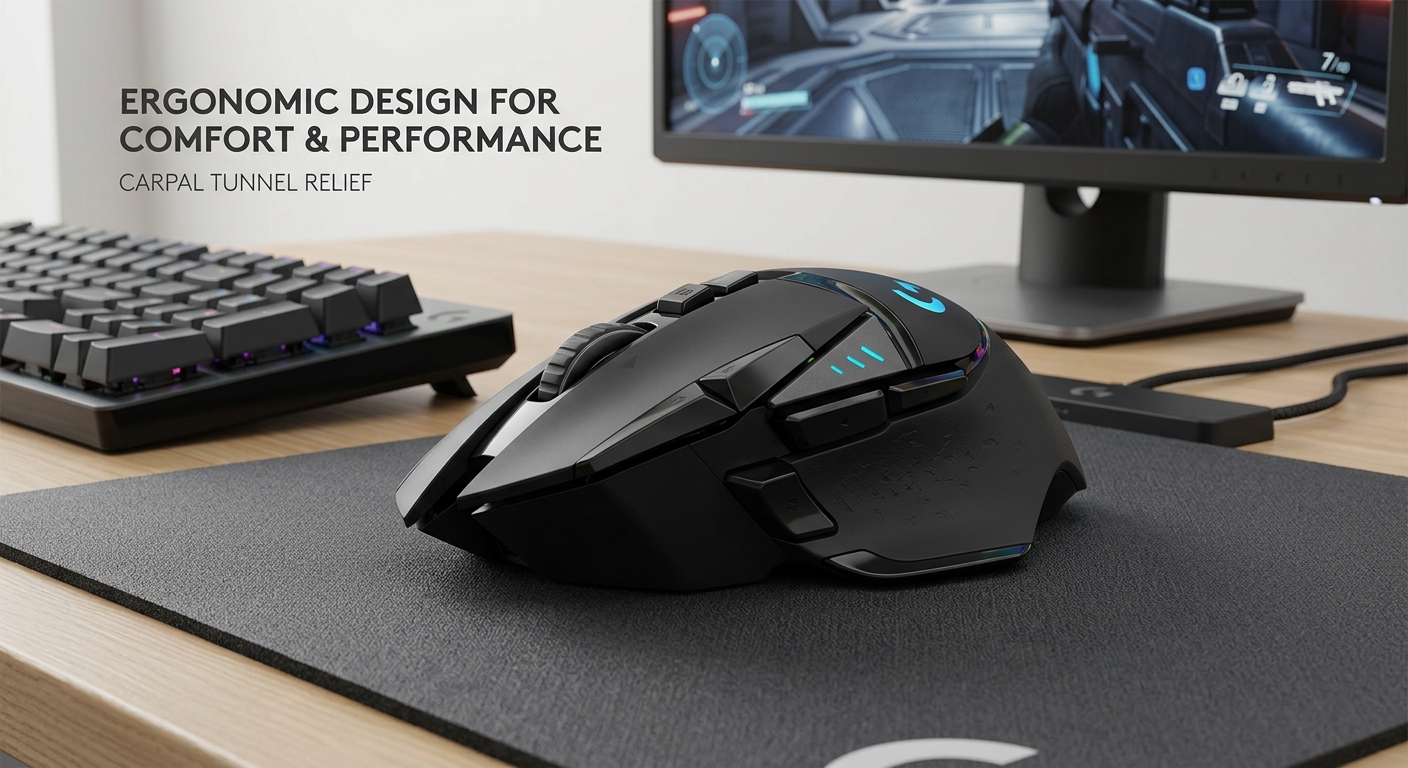
Before you spend money, you deserve to know something that most product review sites will not tell you because they earn commission on the sale.
A 2015 study published in Applied Ergonomics, led by Schmid et al., measured actual carpal tunnel pressure in patients with clinically diagnosed carpal tunnel syndrome while they used a standard mouse, a vertical mouse, a gel mouse pad, and a gliding palm support. The finding was that none of the ergonomic devices tested actually reduced carpal tunnel pressure inside the wrist.
The vertical mouse changed wrist angle, yes. But when it reduced sideways bending of the wrist, it introduced a different problem: more backward bending (wrist extension). And wrist extension is itself a known driver of increased carpal tunnel pressure. One issue traded for another.
What this means practically is that no mouse is going to cure carpal tunnel syndrome. If your symptoms are severe, a doctor’s evaluation and possibly occupational therapy are more important than any peripheral purchase you make. A good ergonomic mouse can reduce the rate at which you accumulate damage, make long sessions more comfortable, and take some of the load off your tendons. But it is a tool that works best as part of a broader approach to hand health, not as a standalone solution.
That said, the comfort difference between a well-fitted ergonomic gaming mouse and a cheap flat one is real and meaningful. You will feel it within a week of switching. The science just says the mechanism of benefit may be more about comfort and reduced muscle tension than about directly lowering pressure on the median nerve.
Beyond the Mouse: What Else Actually Helps
A gaming mouse is one variable. Here are the others that matter.
Desk and Chair Height
Your forearm should be roughly parallel to the floor when you are gripping your mouse. If your desk is too high, your shoulder has to compensate, and that tension travels down to your wrist. If your chair is too low, you end up flexing your wrist upward to meet the mouse surface. Neither is good. Adjusting your setup costs nothing and can reduce wrist strain immediately.
Wrist Rests
This one is counterintuitive. Traditional wrist rests used while actively moving the mouse can actually compress the carpal tunnel from below. The better approach is to move your mouse from your elbow and shoulder for large movements, keeping your wrist in a neutral floating position rather than pressed down against a pad. Wrist rests are more appropriate during typing pauses than during active gaming.
Break Frequency
The cumulative nature of repetitive strain means that the total volume of mouse use in a day matters as much as how ergonomic your setup is. A short stretch break every 45 to 60 minutes, even just standing up and extending your fingers and rotating your wrists gently, can meaningfully reduce the inflammation accumulation that leads to worsening symptoms.
Strengthening Exercises
The muscles and tendons of the forearm benefit from controlled strengthening work. Simple exercises like wrist curls, reverse wrist curls, and grip squeezes with a soft ball help build resilience in the structures around the carpal tunnel. This is an area where a physical therapist can give you a specific program if your symptoms are already significant. For more practical setup advice tailored specifically to gamers, the 1HP ergonomics resource for gamers is one of the more evidence-based and realistic guides available.
Which Mouse Should You Actually Buy?
If you game competitively in fast-paced genres like FPS, battle royale, or MOBA and your carpal tunnel symptoms are mild to moderate, the Razer DeathAdder V3 Pro is the best first choice. It gives you everything a high-level gaming mouse should deliver while keeping weight low and grip position natural.
For gamers who play at a slower pace, prefer palm grip, and want a mouse loaded with customization options, the Razer Basilisk V3 Pro or Logitech G502 X Plus are the ones to look at seriously.
When ultra-light weight is your priority and you have medium-sized hands, the SteelSeries Aerox 5 Wireless is outstanding.
Gamers whose symptoms have reached the point where standard gaming mouse use is causing daily pain and who are willing to accept a transition period should consider the Logitech MX Vertical, the most significant ergonomic shift you can make and still stay at your desk.
And if your symptoms are severe, persistent, or getting worse despite equipment changes, please see a medical professional. The best mouse in the world cannot substitute for proper diagnosis and treatment.
Frequently Asked Questions
Can gaming cause carpal tunnel syndrome?
Yes, prolonged gaming sessions involving repetitive mouse movements and clicking are a recognized contributing factor to carpal tunnel development, especially when combined with poor posture and infrequent breaks.
Is a vertical mouse better for gaming with carpal tunnel?
Vertical mice reduce forearm pronation, which changes the load on your forearm muscles. However, clinical studies have shown mixed results on whether they actually lower pressure inside the carpal tunnel itself. They tend to be more comfortable for many users but are not ideal for precision-heavy competitive gaming.
Does mouse weight matter for carpal tunnel?
Yes. A heavier mouse requires more muscular effort to lift and reposition, and over long gaming sessions that adds up to significant additional load on the tendons around your wrist. Mice under 80 grams are generally better for carpal tunnel management.
What DPI setting is best for carpal tunnel?
Higher DPI settings allow you to move the cursor across the screen with less physical hand movement, which reduces repetitive strain. A range between 1,600 and 4,800 DPI works well for most gaming scenarios, and having a DPI toggle button lets you adjust on the fly.
Should I see a doctor for carpal tunnel from gaming?
If you experience persistent numbness, pain that wakes you up at night, or noticeable grip weakness, yes. A doctor can properly diagnose carpal tunnel syndrome and rule out other conditions with similar symptoms. Equipment changes are helpful but should not replace medical evaluation for significant symptoms.





One Response
Aprendí mucho. Estudio de transcripción: Gem Transcribe — . Gem Transcribe